A few weeks ago I was contacted by Liz Gardner of
MyMemories Digital Scrapbooking Software Company, and was asked if I would like to review their new
MyMemories Suite Version 2.0 scrapbooking software.
After asking around to see if anyone had heard of this company, and finding out that it was very well liked, I decided to go ahead and try it out.
Boy am I glad I did! I
love, love, love this program. I hope you know by know that if I don't love something I won't say that I do.
I do tend to get excited about things, and there are many things that I do happen to love, but I just wanted to put it out there that if I say I really like something, then I really do. I am always honest.
Anyhow, I am so happy I didn't pass up this opportunity. I immediately downloaded the program to my computer and started looking around the program to see how it all worked.
There is a LOT to this program, a LOT...
First let me tell you what you get with the program. You get:
75 different solid colored background pages
100's of different styles of paper background pages such as stripes, checks, plaids, and dots
Over 30 Designer Template background pages
18 Textured background pages
Over 60 Embellishments such as buttons, brads, stitching, bows, knots, etc.
Here are some samples of the pages and embellishments you get.
Really there are many more, but it would take me forever to show you them all. You also get shapes to add to your pages.
Something that I particularly liked was the ability to insert text onto your pages. You can choose from many different fonts, font sizes, and font colors.
You can add music, video and narration to your scrapbook pages and turn them into a video to watch! How cool is that?
There is plenty to work with that comes with the program, but if you would like additional background pages there are thousands to choose from at
MyMemories.com.
You can get any theme you can think of. And the prices are really reasonable. There is also a dollar store where everything is only 99 cents, and there are dozens of freebies!
Here is a sampling of the current freebies:
Oh, and I almost forgot! You can use backgrounds and embellishments and other stuff that you may have already purchased elsewhere with this program. So you don't have to worry about them going to waste!
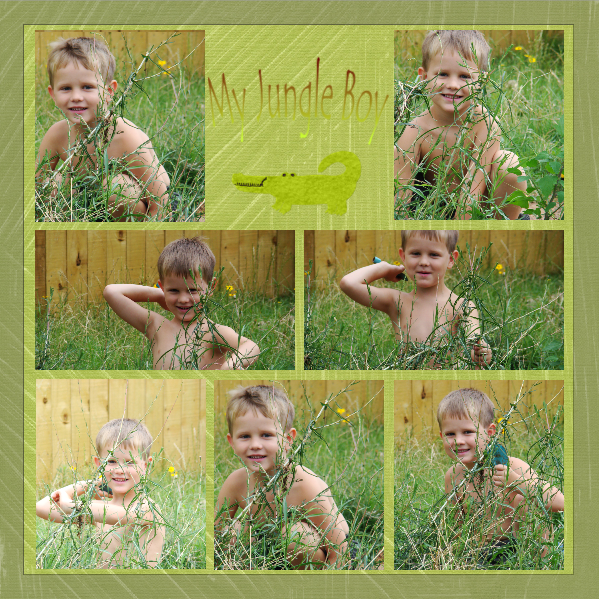
Let me show you some of the pages I have done so far:
Aren't these so cute?! I can't wait to get more pages finished so I can turn them into a book! Yep, you can turn your digital scrapbook pages into a book.
You can print them off and put them into a scrapbook, or have them professionally printed into a hardbound book. That's what I want to do. I think it would be awesome to have books of your family. Perhaps one for each holiday, or birthday!
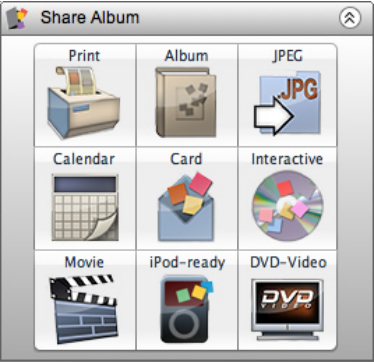
There are many ways to share your scrapbook pages.
Can you imagine having these printed out on baby quilts, or throw blankets? That would be so cool!
I have not got this totally figured out yet. As I said earlier there is a lot to this program, and it is not something you will probably understand overnight. I am still having a little trouble figuring some of it out, but I know I will get it figured out soon. The only thing that is frustrating me about this program is that it is hard to find your papers once they are installed into the program. i wish there was a better way to organize your stuff. But, that is the only negative to this program, and I wouldn't let that discourage you from using this program.
It is really easy to use, just click on something and move, re-size, delete, etc. I really like this. Some programs are so complicated to use. Not this one.
I came across some tutorials while I was looking around on the
MyMemories blog.
These are very helpful. I plan on going through each one. I believe there are about 30 of them. Each on a different aspect of this program. Here is an example of the tutorials.
I hope this review helps you to understand what MyMemories Suite is all about, and I hope I have inspired you to get to scrapbooking! Digitally, of course!
If you are interested in purchasing MyMemories Suite you can do so
here. If you would please consider using my code when you purchase your copy, not only will you be helping me, but you will also get $10 off your purchase AND you will get a $10 coupon code to use to purchase extra pages. Here is my code:
STMMMS21155
Please feel free to share this code.
Thank you very much!
One of my readers will win a downloadable copy of MyMemories Suite Version 2.0!!!
Giveaway!
All you have to do to enter to win is leave me a comment letting me know if you have ever done any digital scrapbooking before, and what your favorite part about it is.
If you would like additional entries you can:
1. Follow my blog through GFC, and leave me a comment letting me know you are following me. You may leave a comment if you are already following me as well.
2. Subscribe to my blog either by RSS or email, and let me know which way you are now following. If you are already subscribed, leave me a comment letting me know.
4. Follow me on NB.
This giveaway ends on Friday October 14th, 2011 at noon. Make sure you leave me a way to contact you should you win. Thanks!
Official Rules for this giveaway:
1.
Eligibility. Giveaways are open to readers with US shipping addresses only, unless otherwise stated. (Since this is a download, I believe it is open to everyone!)
2.
How to Enter. Entry is made by leaving a comment on the giveaway post. A limit of one entry is allowed per e-mail address. You may only enter once, please do not use multiple emails to enter.
You may, however, obtain additional entries on a particular giveaway through other channels when applicable.
3. Disclaimer. I will not be responsible for any lost or damaged items, or any lost or late entries, any technical issues, or anything beyond my control.
Good Luck!